Wondershare Filmora
Easy-to-use video editing software for creators
Wondershare Filmora is a popular video editing software that combines professional features with an intuitive interface suitable for beginners and intermediate editors. It offers AI-powered tools for rapid editing, a vast library of effects, and cross-platform availability. The software enables creators to produce engaging content for YouTube, social media, and presentations.
Pricing Plans
What is Wondershare Filmora?
Wondershare Filmora has established itself as one of the most approachable video editing solutions available, striking an effective balance between accessibility and capability. Designed with beginners and intermediate editors in mind, it provides a gentle learning curve while offering features sophisticated enough to produce genuinely professional content.
The platform has evolved significantly over the years, adding AI-powered tools that dramatically speed up common editing tasks. From auto-reframe to motion tracking to audio ducking, these features help creators produce polished content without spending hours on technical minutiae.
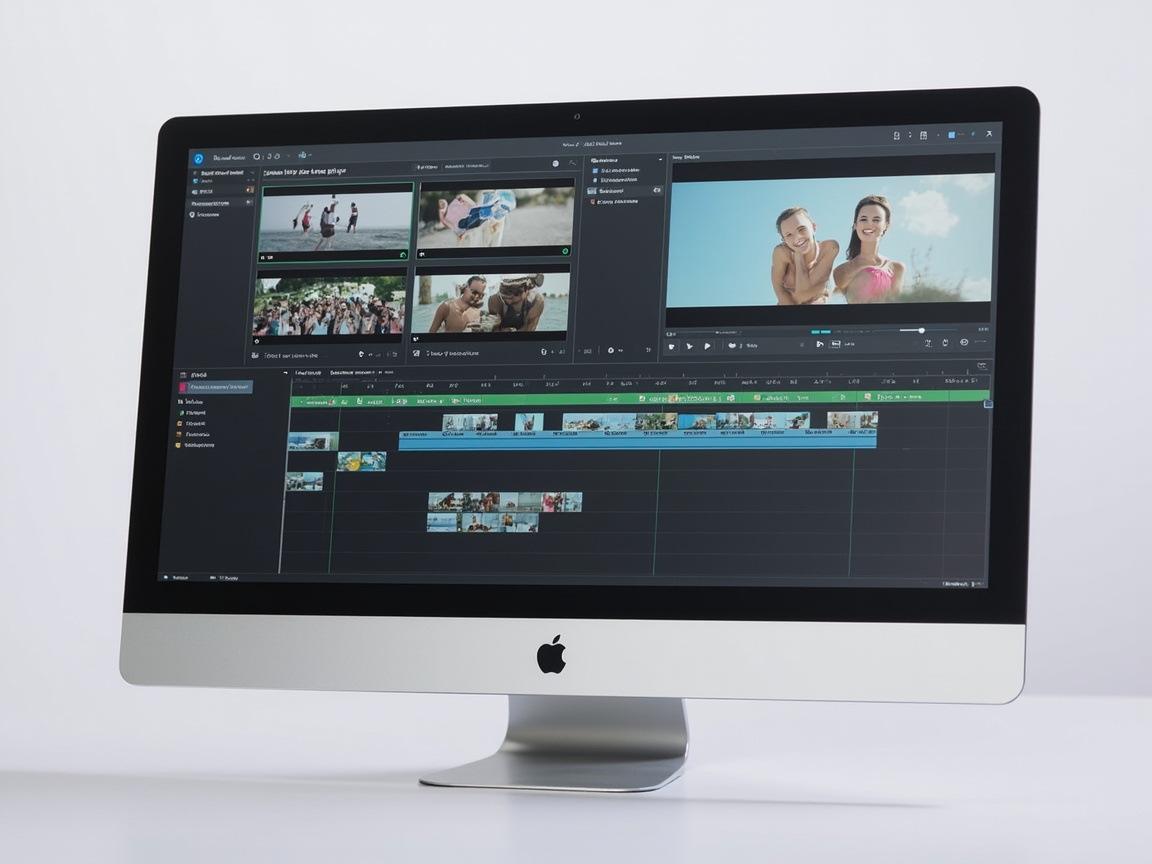
What distinguishes Filmora is its focus on making video editing enjoyable rather than frustrating. The timeline editing feels intuitive, effects and transitions are drag-and-drop, and the interface doesn't overwhelm newcomers with options. Yet beneath this simplicity lies sufficient capability for YouTubers, social media creators, and marketers to produce content that stands out.
Key Features
🎬 AI-Powered Editing Tools - Intelligent features including auto-reframe, motion tracking, and smart cut that accelerate common editing tasks significantly.
📹 4K Video Support - Handle high-resolution footage with support for 4K editing and export, ensuring quality is preserved throughout production.
🔊 Audio Ducking and Mixing - Automatic audio level adjustment ensures voiceovers are clear over background music, with tools for advanced mixing control.
✨ Video Effects and Transitions Library - Extensive collection of effects, transitions, filters, and overlays organized by category for easy discovery and application.
🎨 Color Correction and Grading - Comprehensive color tools including adjustment controls, LUT support, and presets for achieving cinematic looks.
📺 Screen Recording - Built-in screen recording captures tutorials, gameplay, and presentations directly within the application.
🎯 Motion Tracking - Track objects in your video to attach text, graphics, or effects that follow the movement precisely.
📤 Export in Multiple Formats - Export to various formats and platforms including YouTube, Vimeo, and device-specific presets with quality optimization.
Pricing Plans
| Plan | Price | Features |
|---|---|---|
| Free Trial | $0/mo | Full features with watermark, export limits |
| Annual | $49.99/yr | Full features, no watermark, 1 year of updates |
| Perpetual | $79.99 (one-time) | Full features, no watermark, lifetime license |
Ready to try Wondershare Filmora?
Start for free today.
Pros and Cons
Pros:
Cons:
Who Should Use Filmora?
YouTubers and content creators are Filmora's primary audience. The combination of ease-of-use and YouTube export integration makes it ideal for creators who need to produce regular content without becoming video editing experts. The extensive effects library helps videos stand out without requiring extensive technical knowledge.
Social media managers benefit from Filmora's quick editing workflow and social media-specific export presets. Creating Instagram Reels, TikTok videos, and YouTube Shorts can be done efficiently within a single application.
Beginner video editors considering learning video editing should start with Filmora. The gentle learning curve builds confidence and fundamental skills without overwhelming with professional features they'll eventually need but don't yet understand.
Ready to try Wondershare Filmora?
Start for free today.
Filmora vs Competitors
Filmora vs Adobe Premiere Pro: Premiere Pro offers professional-grade capabilities but with a steep learning curve and subscription pricing. Filmora is more accessible and affordable. Premiere Pro for professional editors; Filmora for everyone else.
Filmora vs CapCut: CapCut is free and mobile-focused, excellent for quick social media edits. Filmora provides more features and is better suited for longer, more complex projects on desktop. CapCut for mobile editing; Filmora for desktop production.
Filmora vs DaVinci Resolve: DaVinci Resolve is free and incredibly powerful, especially for color grading. However, it has a steeper learning curve. Filmora for accessibility; DaVinci Resolve for power users wanting to invest time in learning.
Frequently Asked Questions
Q1: Is Filmora a one-time purchase or subscription? Filmora offers both options. The annual plan at $49.99/year provides access for one year, while the perpetual license at $79.99 provides lifetime access with the option to subscribe for additional assets and features.
Q2: Can I use Filmora for commercial projects? Yes, content created with Filmora can be used commercially. There are no restrictions on commercial use of your edited videos.
Q3: How does Filmora compare to free editors like iMovie? Filmora offers significantly more features, effects, and export options than free editors like iMovie. The professional polish and expanded capabilities justify the purchase for regular creators.
Q4: Is there a watermark on exported videos? The free trial includes a watermark. Purchasing any license removes the watermark from exports.
Q5: Can I try Filmora before buying? Yes, a free trial is available with full features but watermarks on exports. This allows testing all capabilities before committing to a purchase.
Ready to try Wondershare Filmora?
Start for free today.
Final Verdict
Wondershare Filmora successfully serves its target audience: creators who want professional-looking videos without professional-level complexity. The balance of accessibility and capability, combined with the one-time purchase option, makes it excellent value for regular content creators.
The AI features genuinely help productivity, the effects library enables creative expression, and the cross-platform availability provides flexibility. While it won't satisfy professional editors who need advanced capabilities, for its intended audience, Filmora delivers exactly what's promised.
The pricing structure deserves particular praise. In an era of ever-increasing subscriptions, Filmora's one-time purchase option respects users' budgets while providing lifetime value. At $79.99 for perpetual access, even creators who only make a few videos per year will find it worthwhile.
For anyone starting their video creation journey or seeking a more accessible alternative to professional tools, Filmora comes highly recommended.
Get Started with Filmora
Ready to create professional-looking videos without the learning curve? Try Filmora free to explore all features, then choose the perpetual license for lifetime access.
Ready to Get Wondershare Filmora?
Start using Wondershare Filmora for free today.
Verified affiliate link. No extra cost to you.